Data Intelligence Framework
Clean, structure and prepare customer data for reliable decisions. Best for: teams whose source fields, event definitions and segment rules disagree across exports and integrations.
A decision layer is shared infrastructure that uses current customer context and eligibility rules to choose the next marketing action across existing tools. EngageMKTG connects profiles, consent, events and planners so the same checks can guide a campaign, an onboarding trigger or a decision to suppress a message.
Choose the component that addresses the missing context in your workflow. You can begin with one application, keep your email service provider and reuse the foundation as other needs become clear. A practical starting point is a permissioned dormant-list cohort with an agreed baseline and explicit stop conditions.
Updated
Clean, structure and prepare customer data for reliable decisions. Best for: teams whose source fields, event definitions and segment rules disagree across exports and integrations.
Connect one person across brands, domains and subscriptions while retaining permission context. Best for: portfolios with duplicate records, fragmented consent and inconsistent identity matching.
Keep bounce, unsubscribe, risk, interest and contact-pressure state usable before a decision. Best for: senders whose campaign exports become stale before the queue runs.
Retain the sequence and timing of customer actions as shared lifecycle context. Best for: teams that need to distinguish a recent purchase or reply from an old engagement score.
Apply reviewed goals to timing, eligibility and next-action selection. Best for: operators who want reusable, explainable logic instead of rules scattered across campaigns.
Return a profile-level decision and its reason to the existing channel stack. Best for: teams that need consistent checks across email, SMS, push or advertising integrations.
Use profile, event, status and decision infrastructure without building a separate marketing backend. Best for: teams ready to implement a lifecycle application without owning each underlying service.
Connect reviewed content, segments and acquisition loops to profile learning. Best for: teams linking declared interests and meaningful actions to relevant content choices.
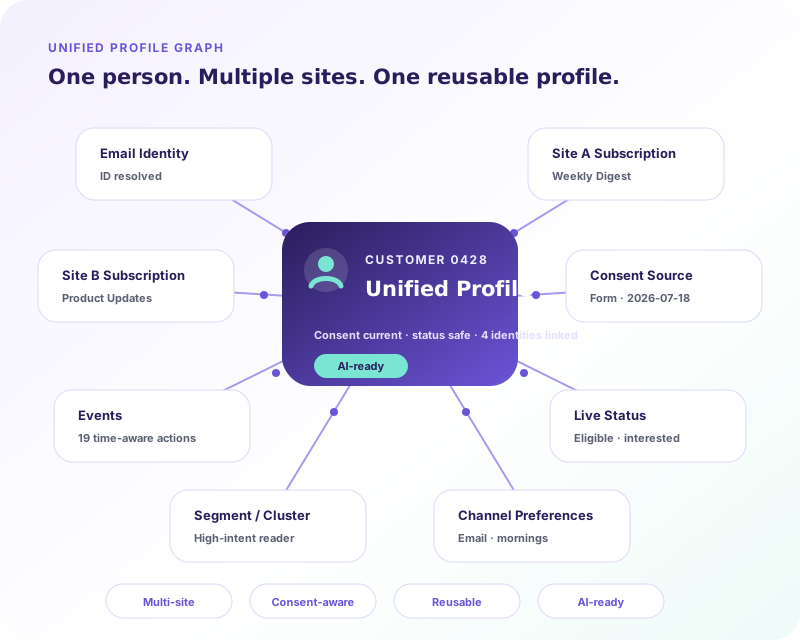
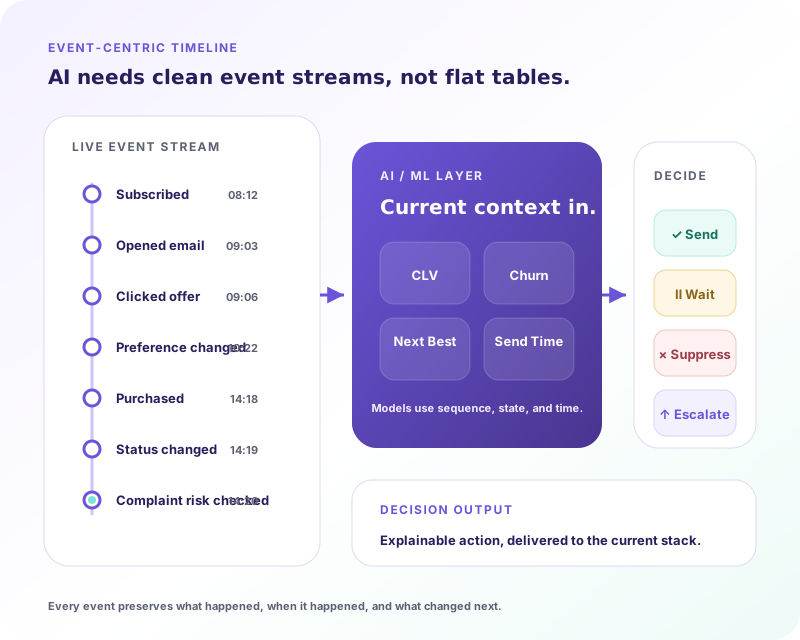
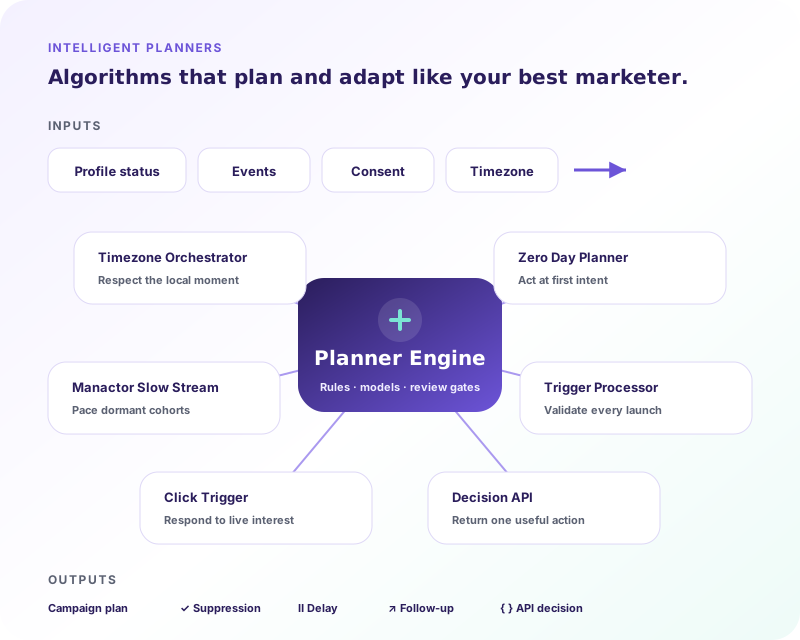
Data comes in, a reviewed decision is made, and an existing channel tool takes the permitted action. The profile graph preserves identity; live status supplies current eligibility; the timeline supplies sequence. Planners evaluate that context, then the Decision API passes the result to execution. A suppression is a valid result. See the glossary for definitions of all eight components.
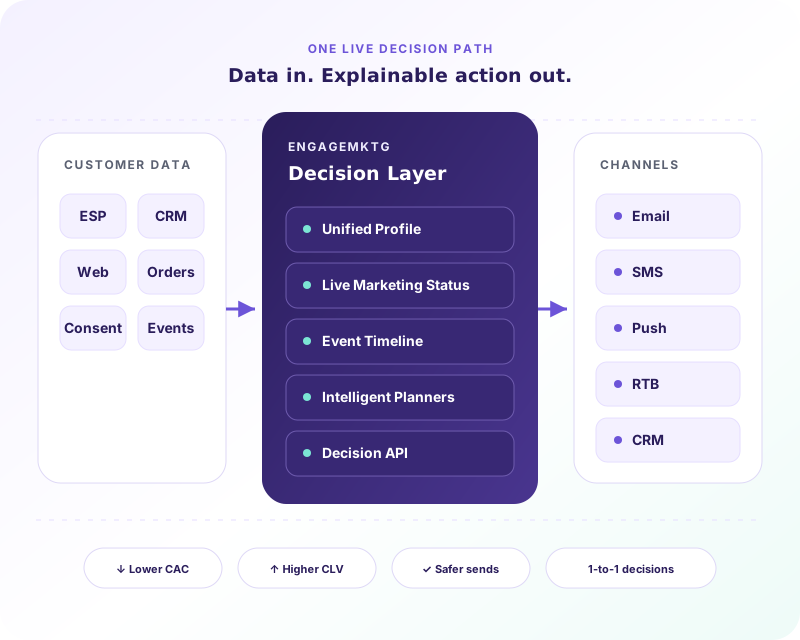
The applications show where these pieces are used together. Implementation Services covers connecting source systems and validating the first flow. Choose the application and its measurement plan before expanding the integration surface: a broader data model alone does not establish a better customer outcome.
EngageMKTG is a decision layer. It uses identity, permission and behavioral context to guide actions across tools; it does not require you to replace your CDP or data warehouse.
No. The operating model keeps your existing email service provider and connects reviewed decisions to its execution workflow; the required integration is scoped around that provider.
The platform uses US data residency. The implementation discussion identifies which data is needed, its source and the access boundaries before a connection is configured.
Yes. Start with List Revival, review a defined cohort and reuse the same context for onboarding, triggers or lifecycle decisions when the evidence supports expansion.
Read the sender requirements tracker for current provider obligations and the List Revival playbook for cohort selection, staged sending and stop conditions. Use the dormant-list calculator to separate planning assumptions from measured revenue before deciding what to connect first.